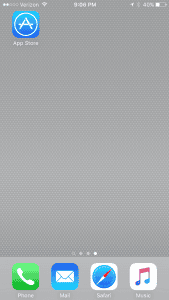
1) Touch the App Store icon:
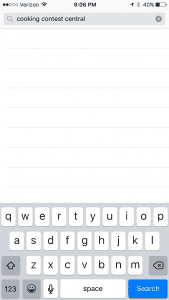
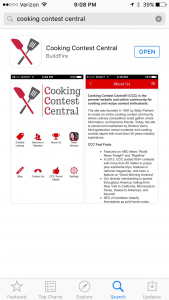
2) The App Store will open. Touch the Search icon (magnifying glass) on the bar in the lower right. The search page will open. Type cooking contest central in the search box and then press search:
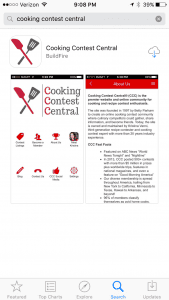
3) The Cooking Contest Central app will show. Touch GET then INSTALL. (Note: you see the cloud download icon here, because I had already downloaded it!)
4) Once the download is complete, touch OPEN:
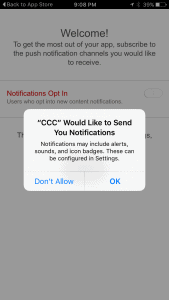
5) Touch OK to receive notifications. This is how you will receive a notice any time a new contest has been uploaded to the app.
6) Then the notifications opt in screen will open:
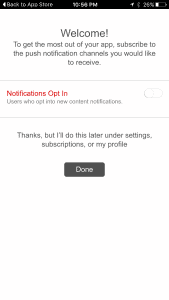
7) Slide the bar to make it green then touch DONE:
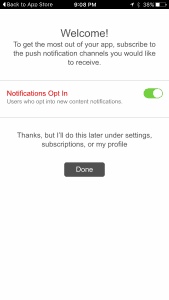
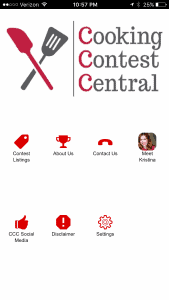
8) The CCC app will open and you are all set!
Note:
The app notifications come up best when you set the following notification style on your iPhone:
1) Touch SETTINGS
2) Touch NOTIFICATIONS
3) Touch the CCC app (apps you have downloaded are listed alphabetically)
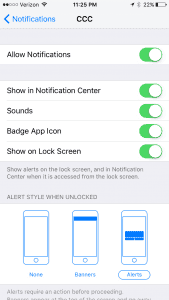
4) Make sure all the bars are green and you have selected the far right “alerts” option under “ALERT STYLE WHEN UNLOCKED” This way you will receive the full alerts when we send them out.